✿ LUXURY FLORAL GIFTING · DOHA, QATAR
Where every petal
tells a story.
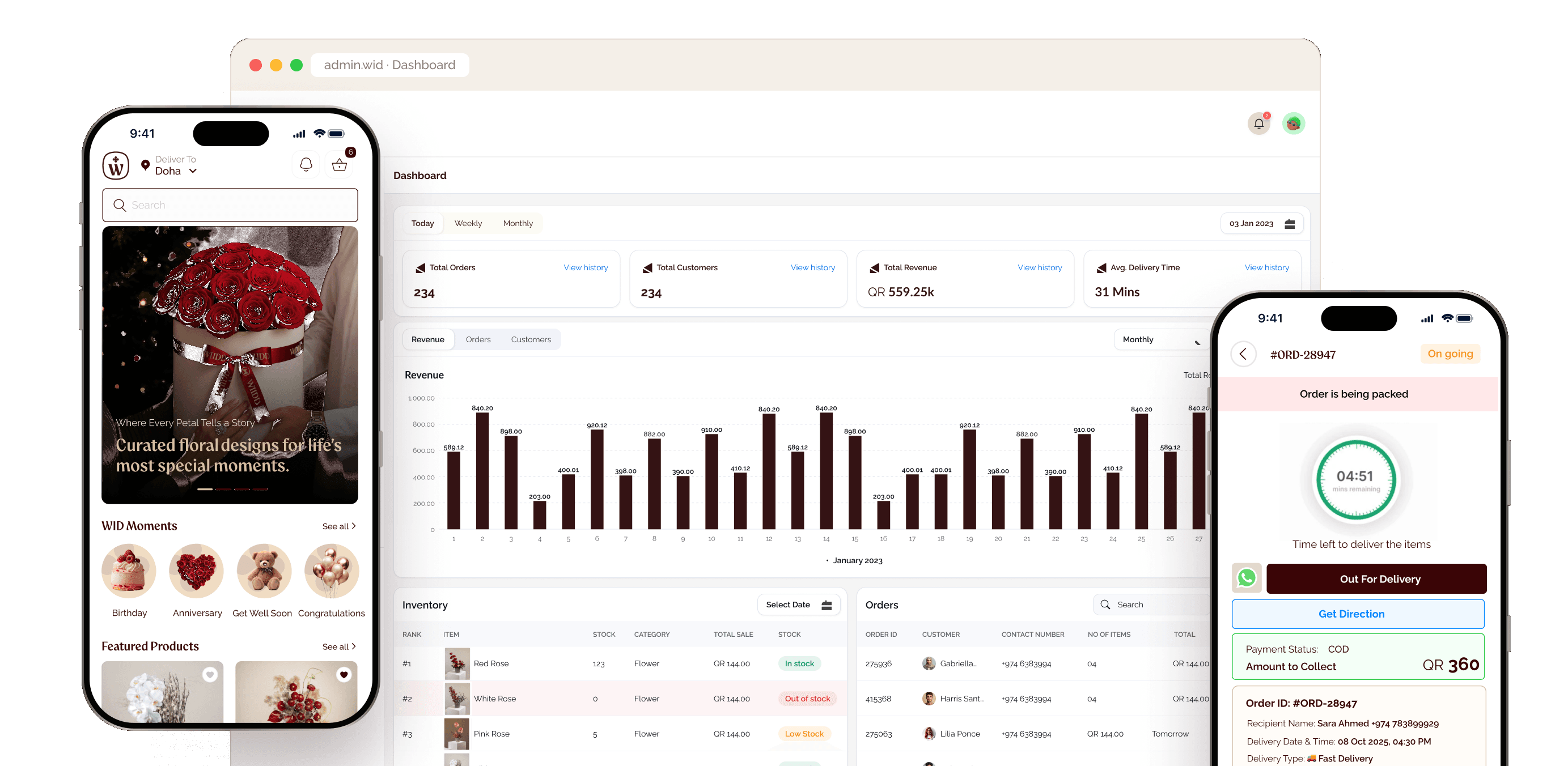
A customer app, a driver app and a super admin panel for a premium flower and gift brand — designed so every order arrives feeling as personal as the moment it was sent for.
- Platforms
- 3 apps · 3 roles
- Screens
- 170+ designed
- Scope
- End-to-end UX & UI
01OVERVIEW
Three apps.
One moment that matters.
WID sells flowers, gift baskets, cakes, perfumes and chocolates for life’s occasions. The product spans the person who sends, the driver who delivers and the team that runs the shop.
Customer App
Discover by occasion, personalise with a message or video, pick a delivery slot, pay with wallet, points or cashback — then track and rate.
Driver App
Go online, work pending and ongoing orders, follow a delivery countdown, get directions and collect cash on delivery.
Super Admin
Dashboard, orders, products, collections, moments, care instructions, inventory & purchasing, customers, roles, ads and home-page content.
02THE CHALLENGE
Gifting is emotional.
Logistics isn’t.
A floral order carries a feeling and a deadline. Sending has to feel effortless and personal, while drivers and operators get the precision a perishable, time-boxed delivery demands.
Personal, not transactional
How might senders add meaning — a note, a video, a secret identity — without slowing checkout down?
On time, every time
How might drivers see what’s due, where it goes and what to collect, at a glance and one-handed?
One source of truth
How might a small team run catalogue, moments, stock and orders without spreadsheets and guesswork?
DESIGN GOALS FRAMED FROM THE SCREENS · NOT RESEARCH FINDINGS
03END-TO-END JOURNEY
From a feeling
to a front door.
One order touches all three apps. Each handoff has to carry the emotion forward — and the details that make it arrive on time.
Choose the moment
Browse by Birthday, Anniversary, Get Well Soon or Congratulations.
Make it personal
Add a message, template, video or audio — and choose to stay anonymous.
Prepare & dispatch
Confirm the order, check stock and assign it to a driver.
Deliver & collect
Follow the countdown and directions, collect COD and confirm the drop-off.
Rate & remember
Track progress, get notified and rate the order and the driver.
04CUSTOMER APP · DISCOVER
Shop by moment,
not by SKU.
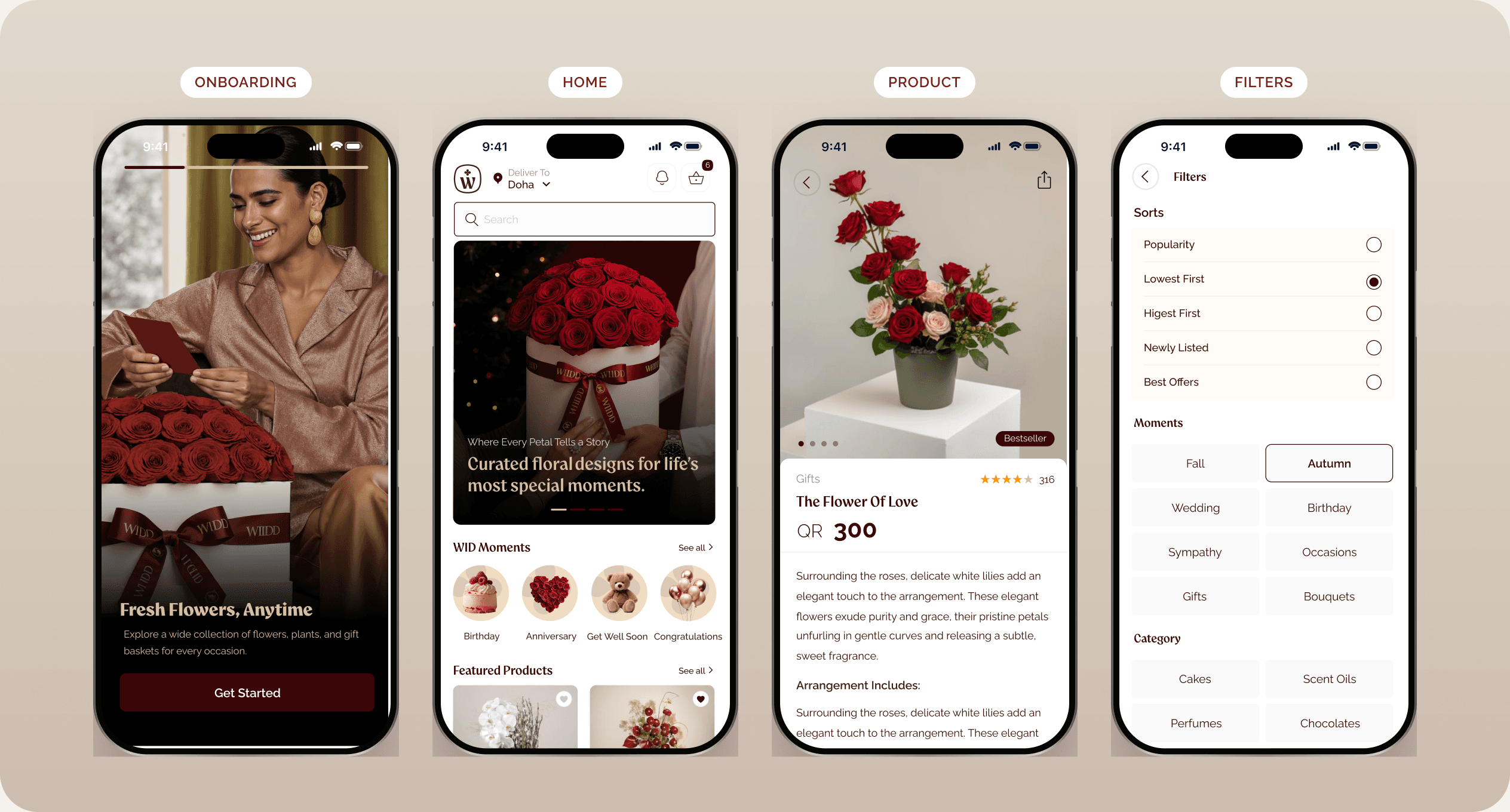
People don’t search for “12 red roses” — they search for an anniversary. The home screen leads with occasions and editorial imagery that sells the feeling first.
Moments-first navigation
Birthday, Anniversary, Get Well Soon and Congratulations sit at the top of home — the fastest route from intent to gift.
Editorial, not catalogue
Full-bleed photography and “Where every petal tells a story” set a premium tone before a single price appears.
Confidence on the product page
Price, category, rich description, photo reviews and related items answer “is this the right gift?” in one scroll.
05CUSTOMER APP · PERSONALISE
The message is
part of the gift.
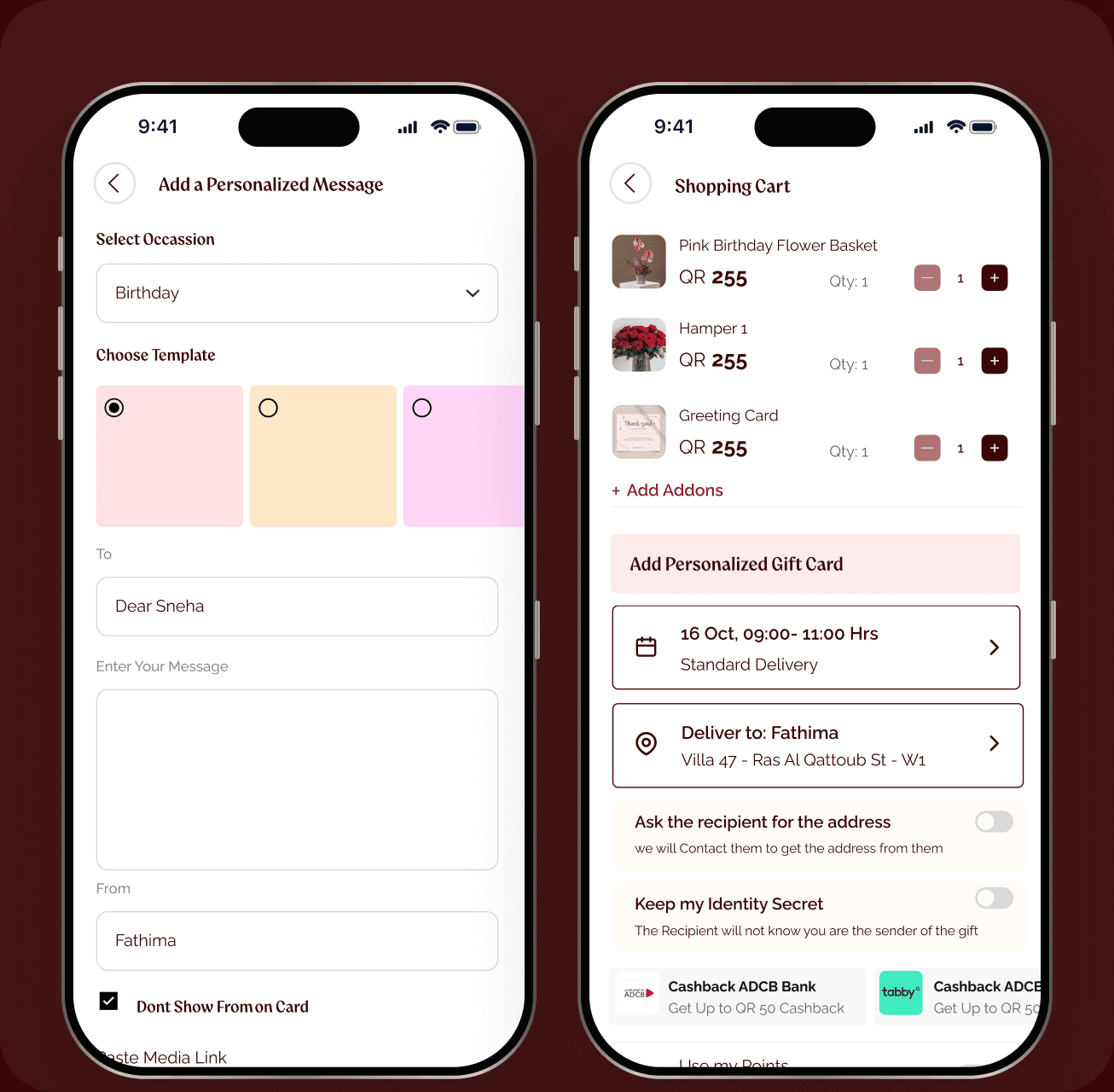
The most distinctive flow in the product: senders can wrap their words, a video or a voice note into the delivery — and decide how much of themselves to reveal.

Occasion templates, To & From
Pick the occasion, address the card and start from a template instead of a blank page.

Video & voice, not just text
Paste a media link or upload audio and video so the gift carries a real voice.

Keep my identity secret
Hide the sender on the card — or the whole order — for surprises and secret admirers.

Ask the recipient for the address
Don’t know where they live? WID contacts the recipient, without spoiling the surprise.

Pick the exact delivery slot
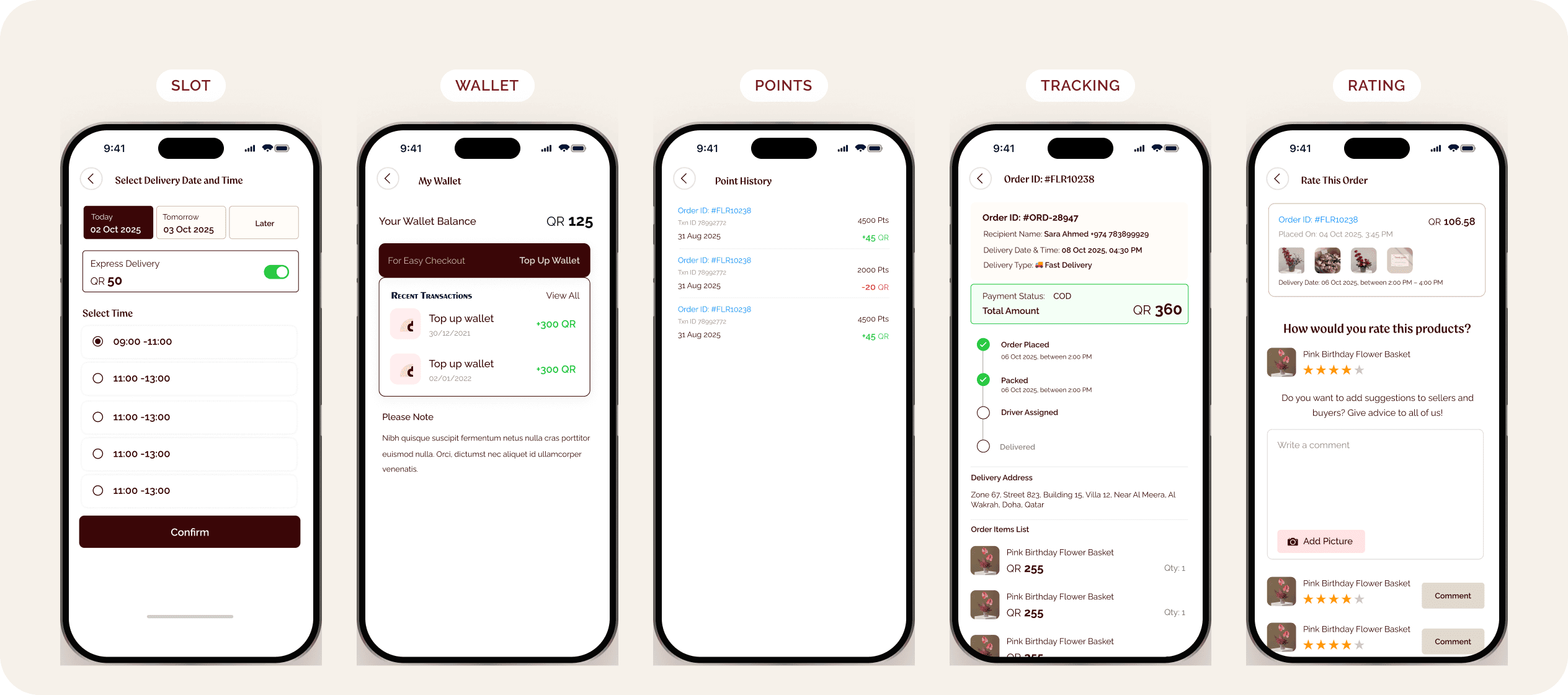
Date and time windows plus standard or express delivery, set before payment.
06CUSTOMER APP · PAY & FOLLOW UP
Rewards that feel
like part of the ritual.
Checkout stacks every way to save — wallet, points, bank cashback, promo codes — then keeps the sender close to the order until it’s rated.
Transparent totals
Products, delivery fee, discount and taxes are itemised before “Proceed to Pay” — no surprises at the last step.
Points with a visible value
Reward points convert in plain language (2953 = 29.53 QR), so redeeming is a decision, not a puzzle.
Wallet as a habit
Top-ups and point history turn one-off gifting into a relationship with the brand.
After-care built in
Order tracking, notifications, chat and a two-part rating (order + delivery) close the loop.
07PLATFORM · SUPER ADMIN
Run the whole
flower shop.
One panel for the business: live KPIs, orders, a catalogue organised around moments and collections, stock and purchasing, customers, roles and the content customers see.
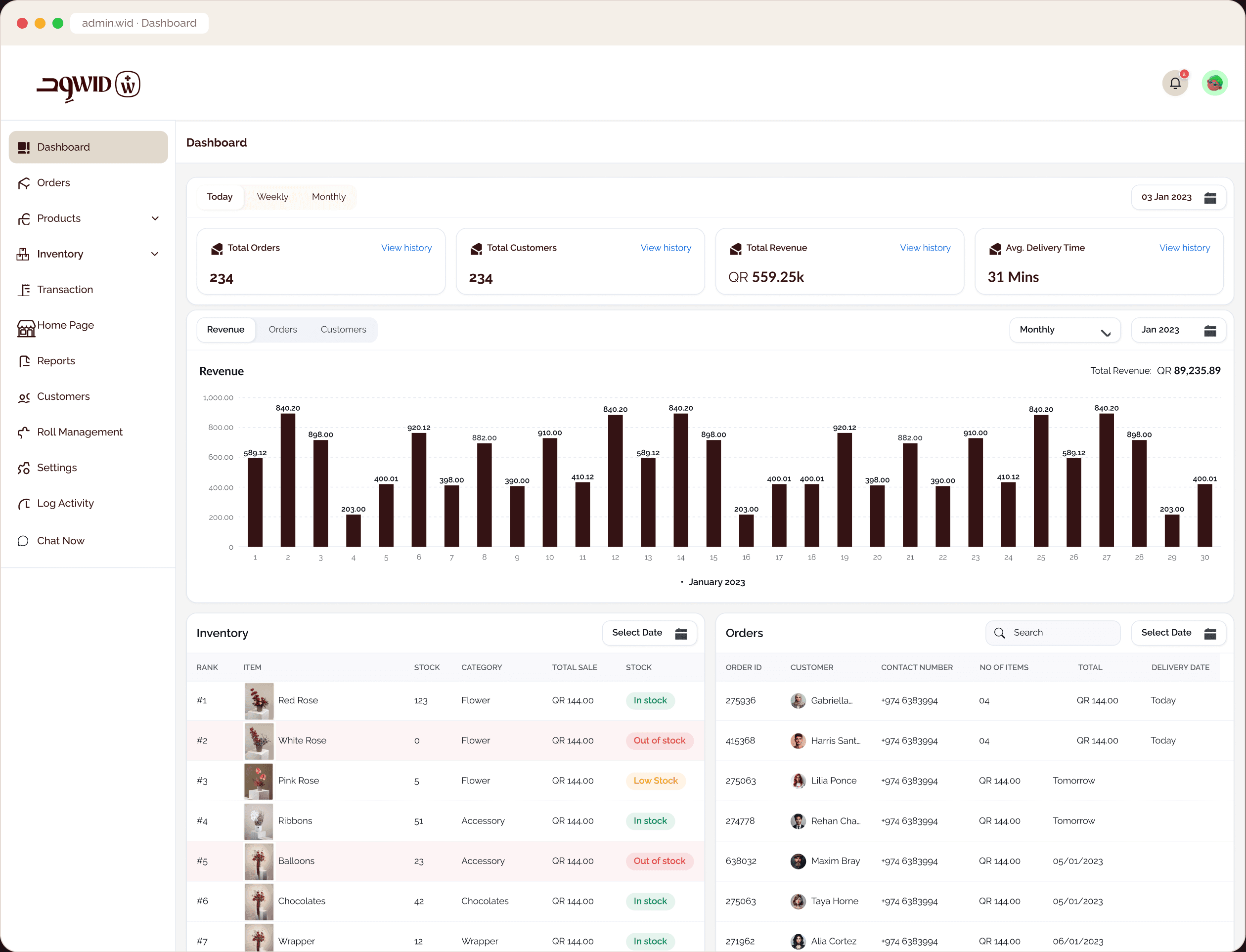
KPIs before detail
Orders, customers, revenue and average delivery time — with period filters — orient the team before they open a record.
A catalogue shaped like the app
Products, categories, collections, moments, care instructions and baskets map directly to what customers browse.
Control what customers see
Home-page sections and ads are managed here, so merchandising can change without a release.
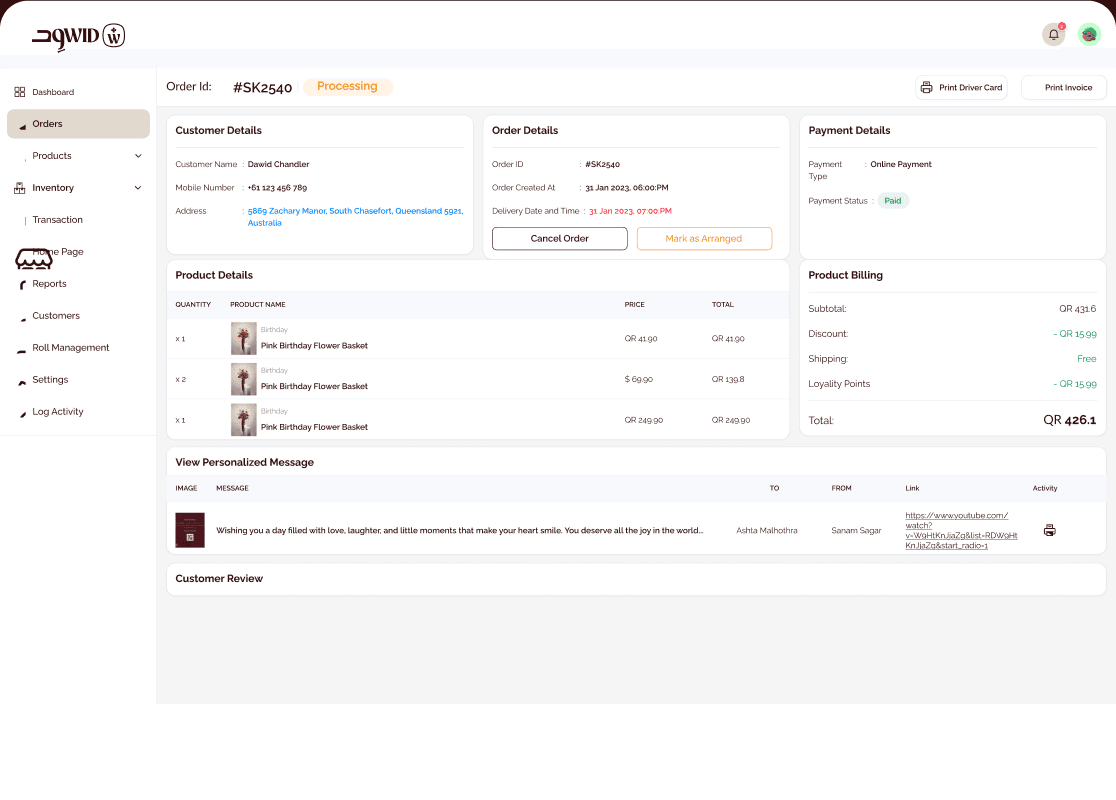
Every order, in context.
Order detail brings items, recipient, slot, payment and status together for dispatch.
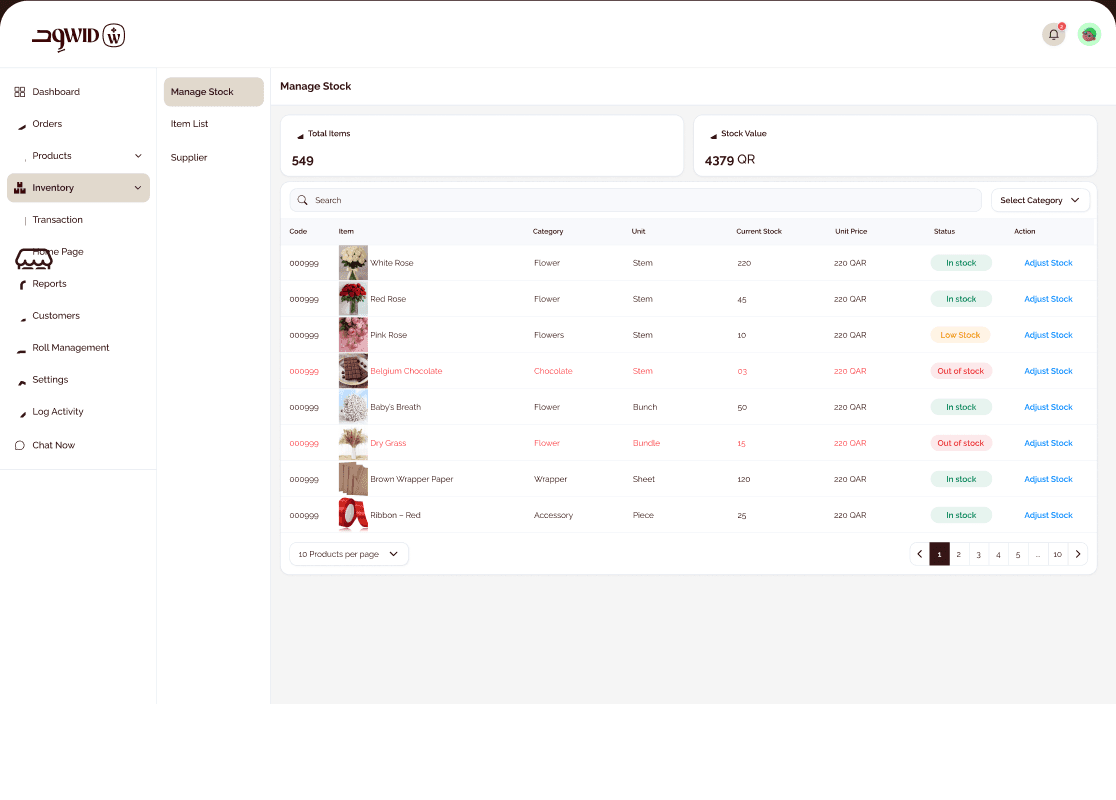
Stock you can trust.
Inventory with stock status, suppliers and purchases keeps perishable items in check.
- Dashboard
- Orders
- Products
- Categories
- Collections
- Moments
- Care instructions
- Baskets
- Inventory
- Purchases
- Suppliers
- Transactions
- Customers
- Role management
- Home page CMS
- Ads
- Notifications
- Log activity
- Chat
- Driver cards
- Settings
08DESIGN LANGUAGE
Quiet luxury,
loud clarity.
A deep wine and warm sand palette borrowed from the bouquets themselves, an elegant display face for emotion and Raleway for everything functional.
Raleway — UI, labels, prices and body text. Regular, Medium, SemiBold and Bold keep hierarchy calm.
Imagery carries the emotion
Large, warm product photography does the selling; UI chrome stays light and neutral around it.
Wine means action
The primary wine colour is reserved for key actions and selected states across all three apps.
Status is always written
Pending, On going, In stock, Out of stock — colour supports a word, never replaces it.
09PROPOSED VALIDATION
Measure the moments
that matter.
No research or launch data was supplied, so these are the signals worth tracking to prove the design works — per role.
 UX & UI Case Study